
Shadow AI
People paste contracts, customer data and source code into private chatbot accounts — outside every policy, contract and data processing agreement.
AIMan by brandcompete
Your people want Claude, GPT and Gemini today. Your IT has to know where company data goes. AIMan gives both sides what they need: one sign-in to the leading models and to open models on our own GPU servers in Germany — with answers from your documents and the web.
Sensitive work stays in Germany. Open models and all document search run on dedicated GPU servers — ours, or yours on-premise. Vendor models are one tab away when a task needs them.
sign-in for everyone, with your Microsoft or Google work account
open model families on dedicated GPU servers in Germany
vendors’ hosted models under your company’s own keys
private AI accounts your staff need to open for their work
The challenge
Banning AI does not work, and letting everyone do as they like does not either. Both cost more than they seem to.
People paste contracts, customer data and source code into private chatbot accounts — outside every policy, contract and data processing agreement.
A ChatGPT plan here, a Copilot licence there, a Gemini trial somewhere else: separate contracts, bills and rules, and no one sees the whole picture.
A model that knows neither your documents nor today’s news guesses — fluently. Without sources, nobody can check what it says.
The solution
AIMan puts every model behind one sign-in and one interface, grounds the answers in your knowledge and the web, and gives IT one place to decide who uses what.
Claude, GPT, Gemini, Cohere and eleven open model families in one picker. Pick per chat — or per tab, and compare.
Mistral NeMo, Qwen, Gemma, gpt-oss, Phi and DeepSeek on dedicated GPU servers. Prompts to them stay there. No per-token fees.
PDFs, Office files, web pages, Confluence, Jira and Bitbucket as data sources. Every answer cites document and page.
One switch per chat for current answers, sources listed underneath. Vendor models use their own search, open models ours.
Reasoning models think step by step before they answer — live, and folded away afterwards.
A shared prompt repository with placeholders, categories and tags, plus custom instructions for standing context.
Shared chats with colleagues, teams or a whole department. Data sources, prompts and instructions shared the same way.
Export a chat tab — model, data source, instructions — as a chatbot for the intranet or an application.
DeepL translation, images for vision models, file attachments, and every answer copied in one click.
Admins deploy and withdraw models and versions, order the picker and see what is loaded on which GPU server.
Microsoft and Google SSO, roles, organisational units and teams, and every vendor key held centrally — not by individuals.
A model-independent REST API with streaming answers. Call any deployed model by name; switch models without code changes.
How it works
Nobody needs to know which vendor sits behind which model. The company’s choices — which models, which keys, which data — are made once, by IT.
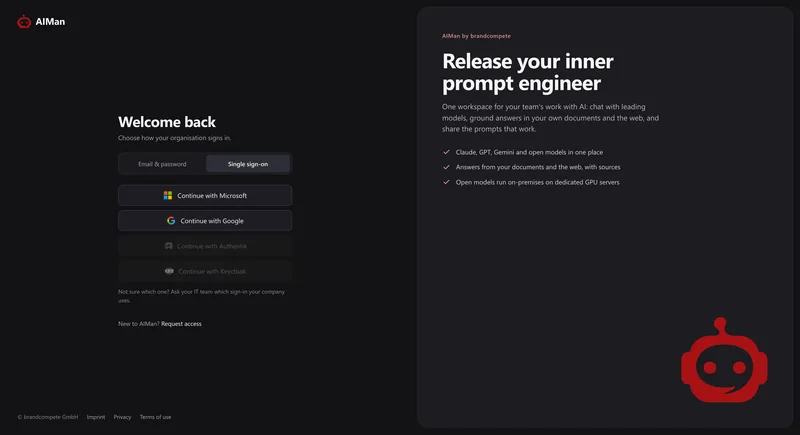
With the Microsoft or Google work account people already have, or email and password. Only your domains get in.
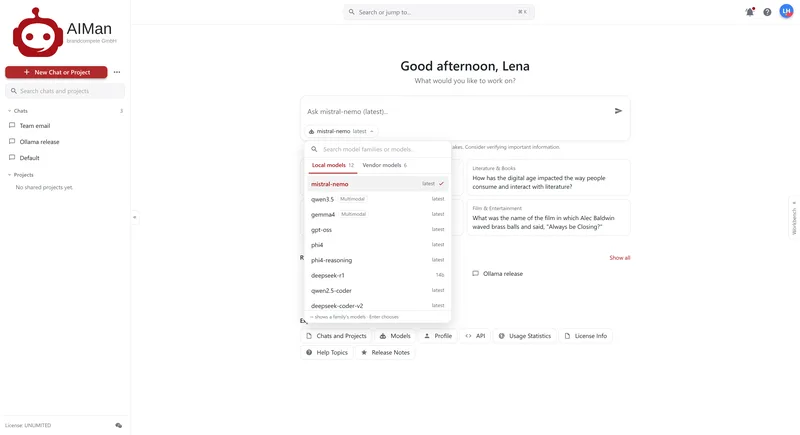
Local models on our GPUs, or vendor models in the second tab. mistral-nemo is ready by default — just start typing.
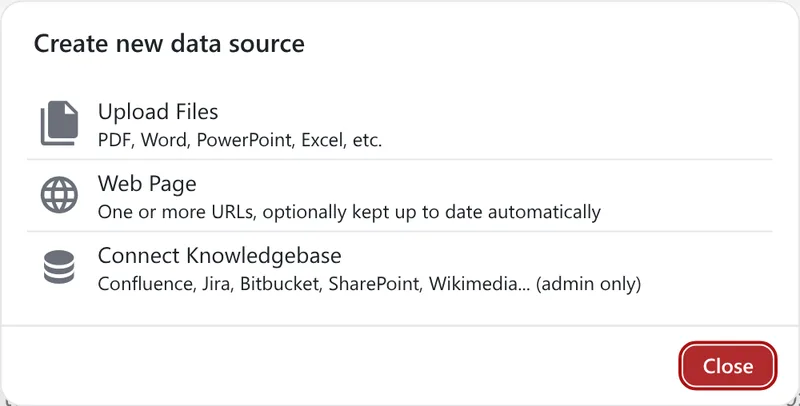
Attach a data source — files, web pages, Confluence — or switch on web search. The answer cites what it used.
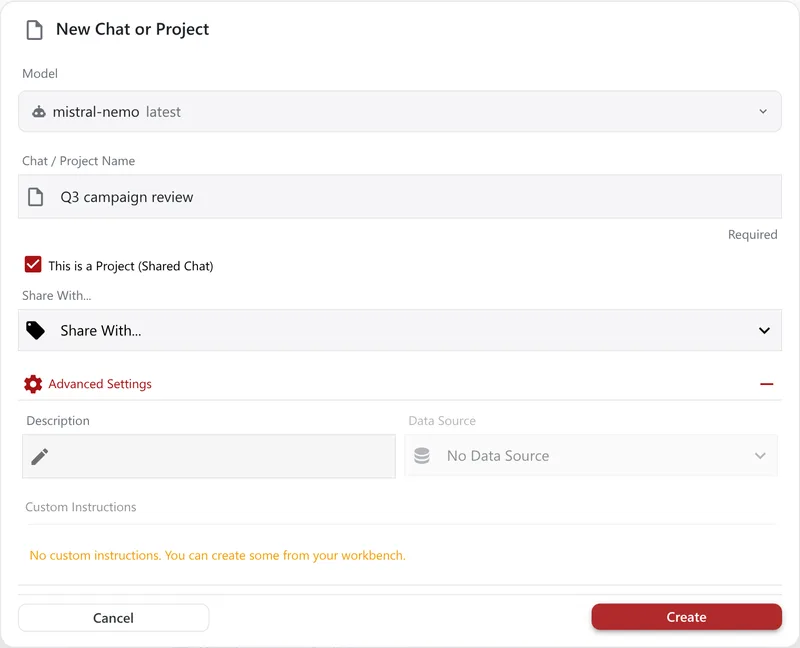
Make it a project for the team, save the prompt to the repository, or export the tab as a chatbot.
Behind every step: the company’s assistant instruction is added to every model, today’s date included; the person’s role decides what they may create; and what they create stays private until they share it.
The product
Screens from the running product. Click any of them to see it full size.
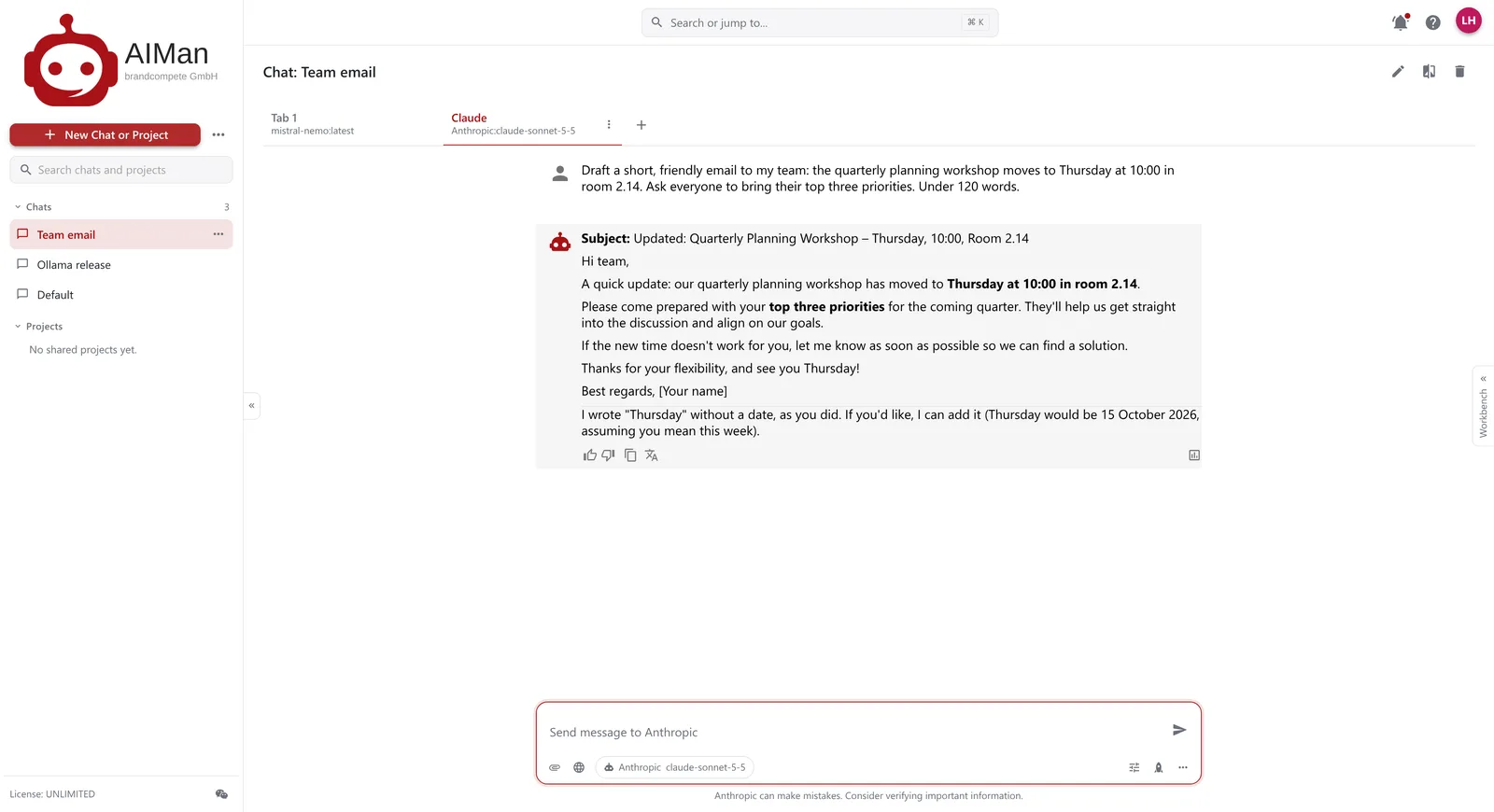
Start typing on the start page, or open a chat and pick a model. Open models on our own GPU servers and the vendors’ hosted models sit in the same picker, in two tabs, and answer in the same interface.
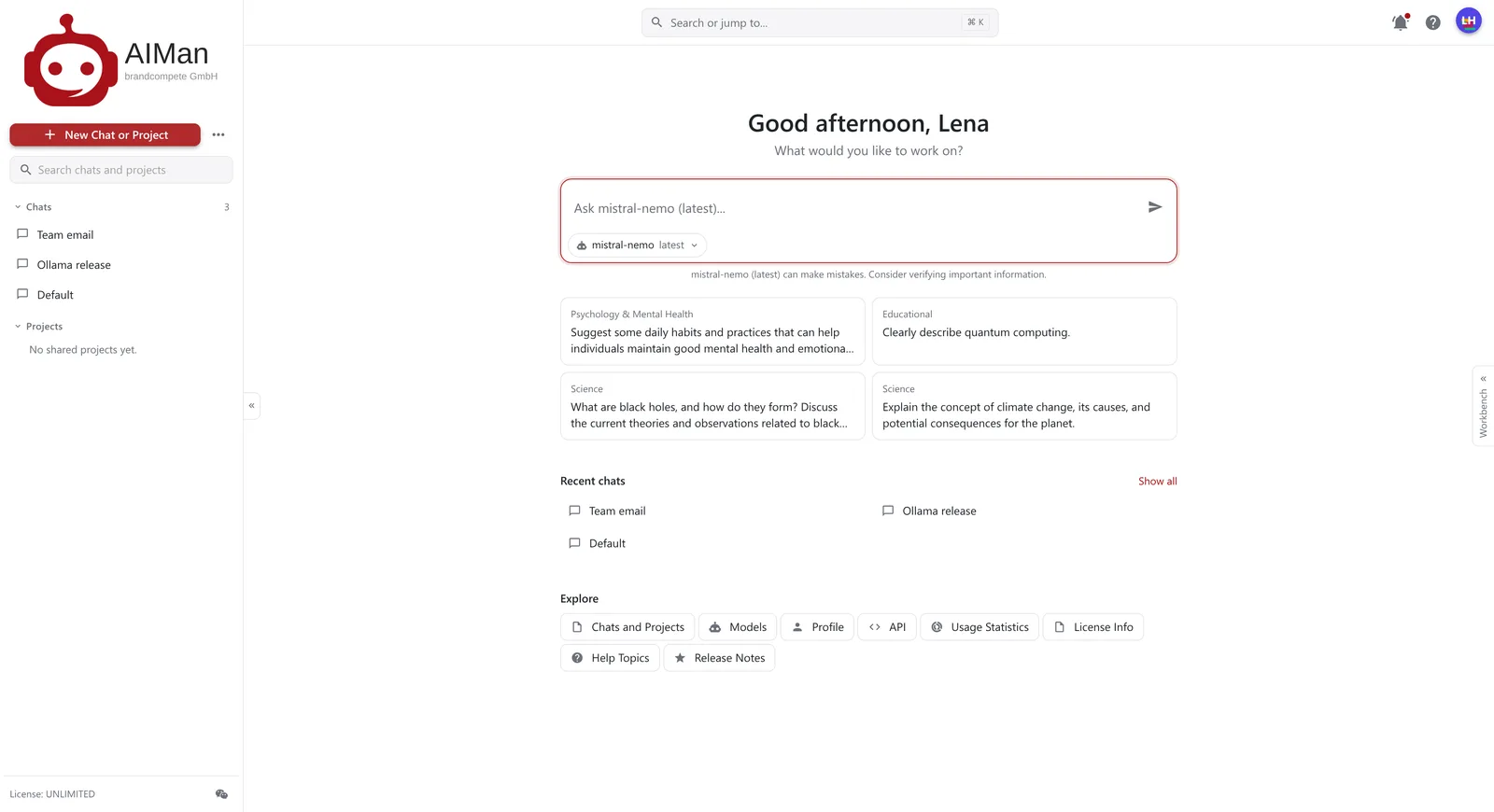
The start page: type and go.
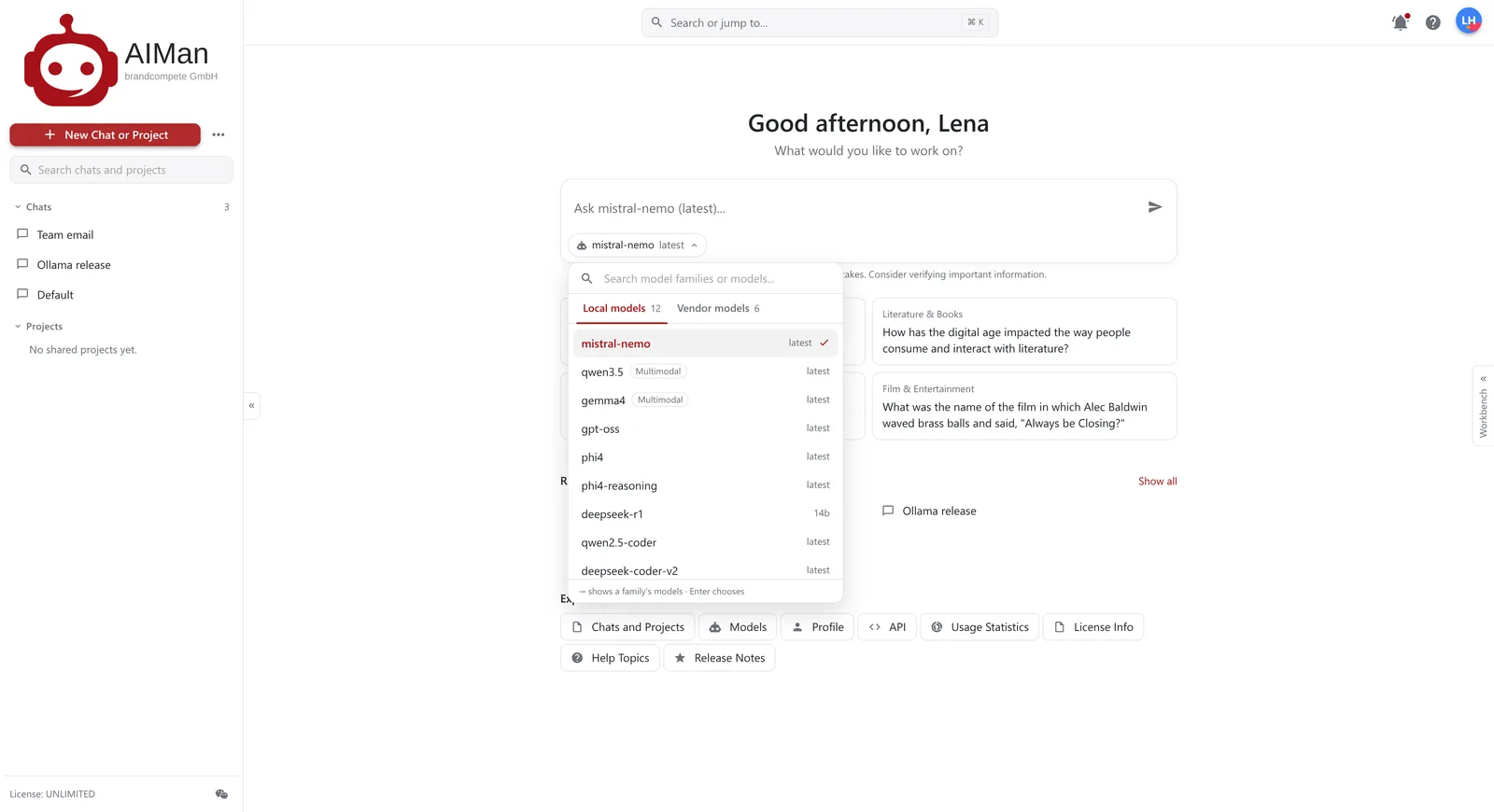
Open models on our GPU servers.
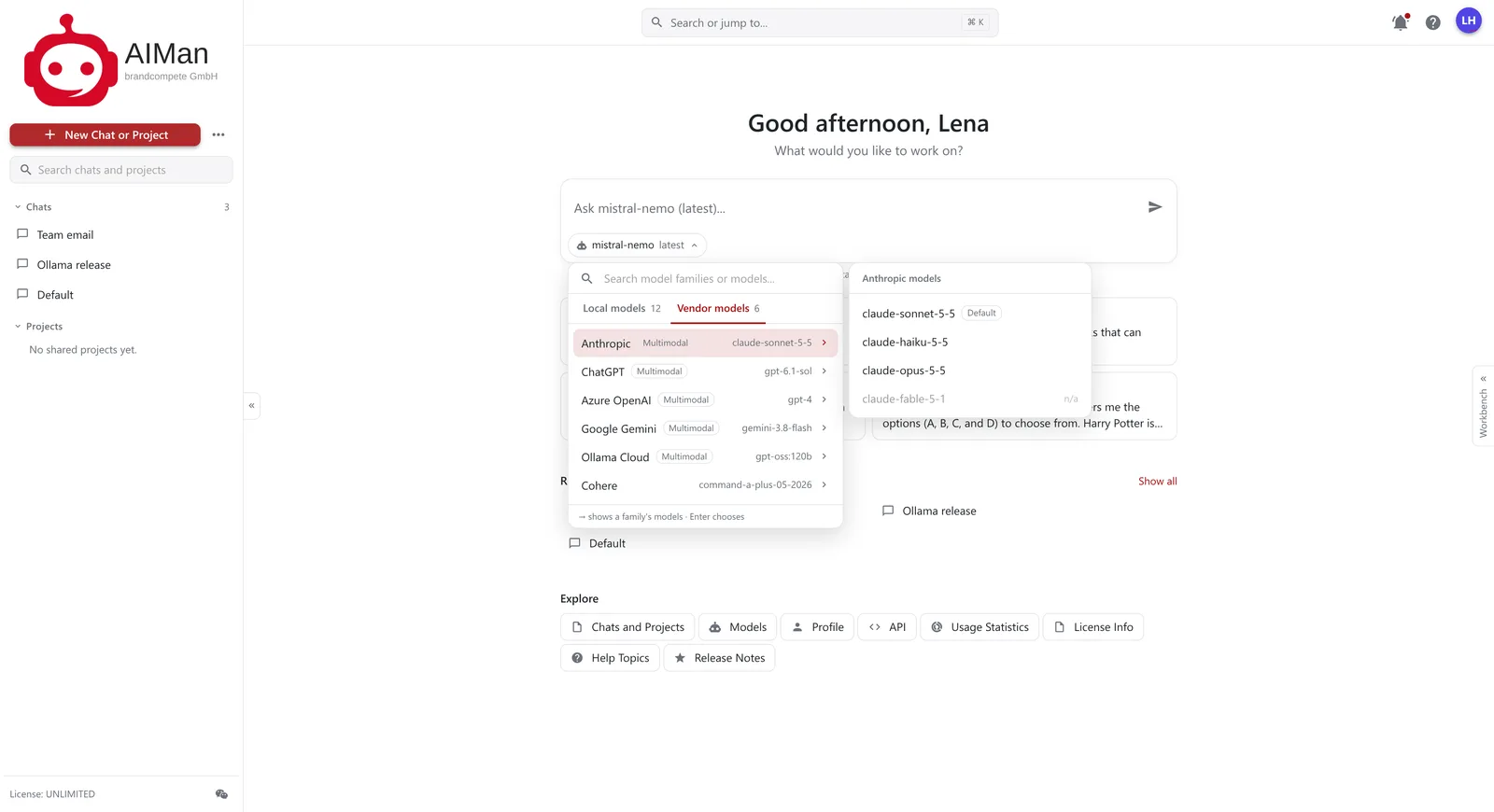
Claude, GPT, Gemini and more.
The same prompt, answered by Claude.
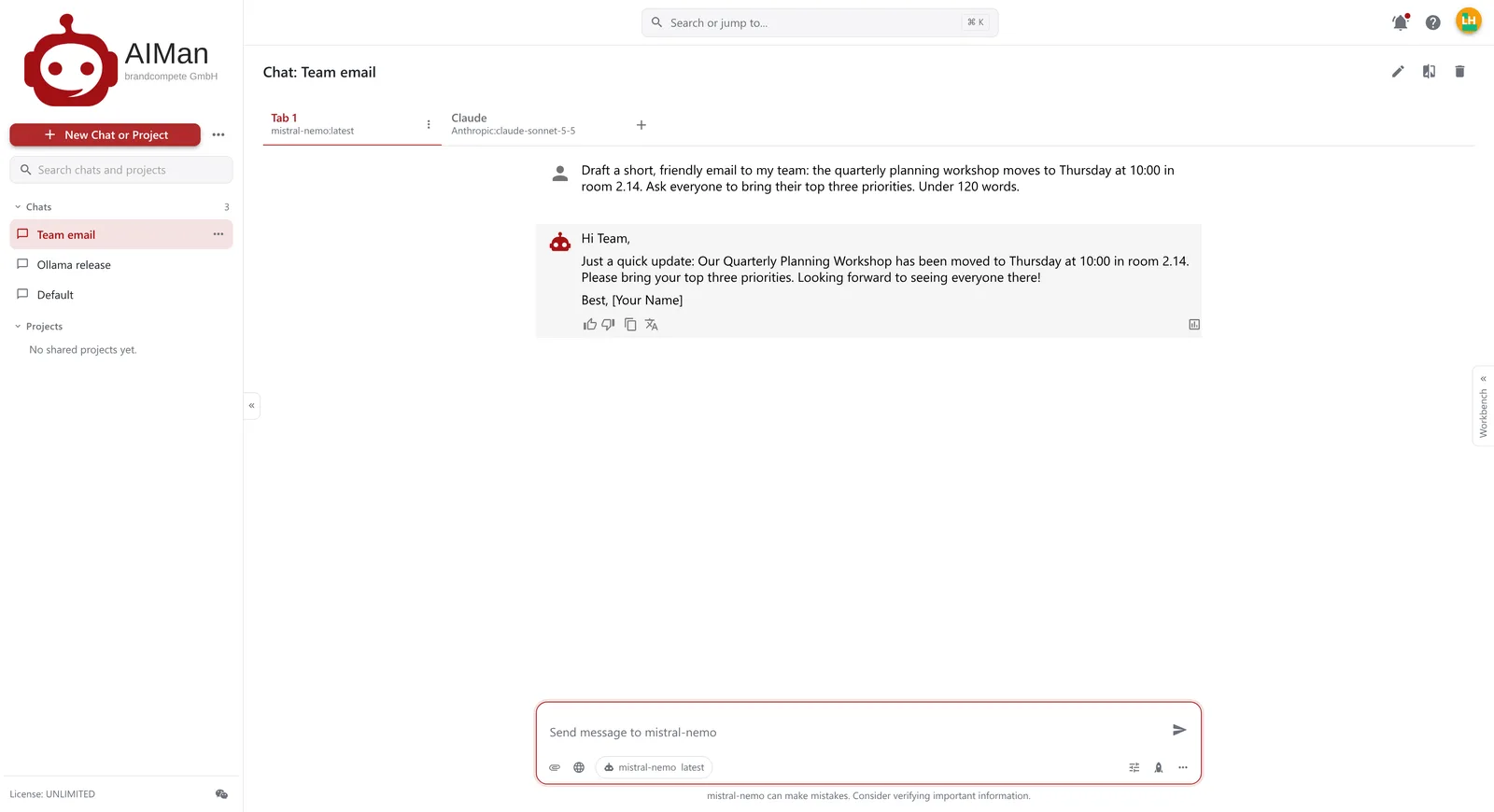
…and by mistral-nemo, on our own GPUs.
Switch on Web search for a chat and the answer is grounded in current pages, each claim numbered and the sources listed underneath. Claude, Gemini and GPT use their vendor’s own search; open models search through AIMan.
![A chat called Ollama release where qwen3.5, with web search on, names the latest Ollama version and three changes, each marked [5], with Ollama – Wikipedia listed under Sources.](/assets/img/websearch-1600.webp)
A web answer with its source.
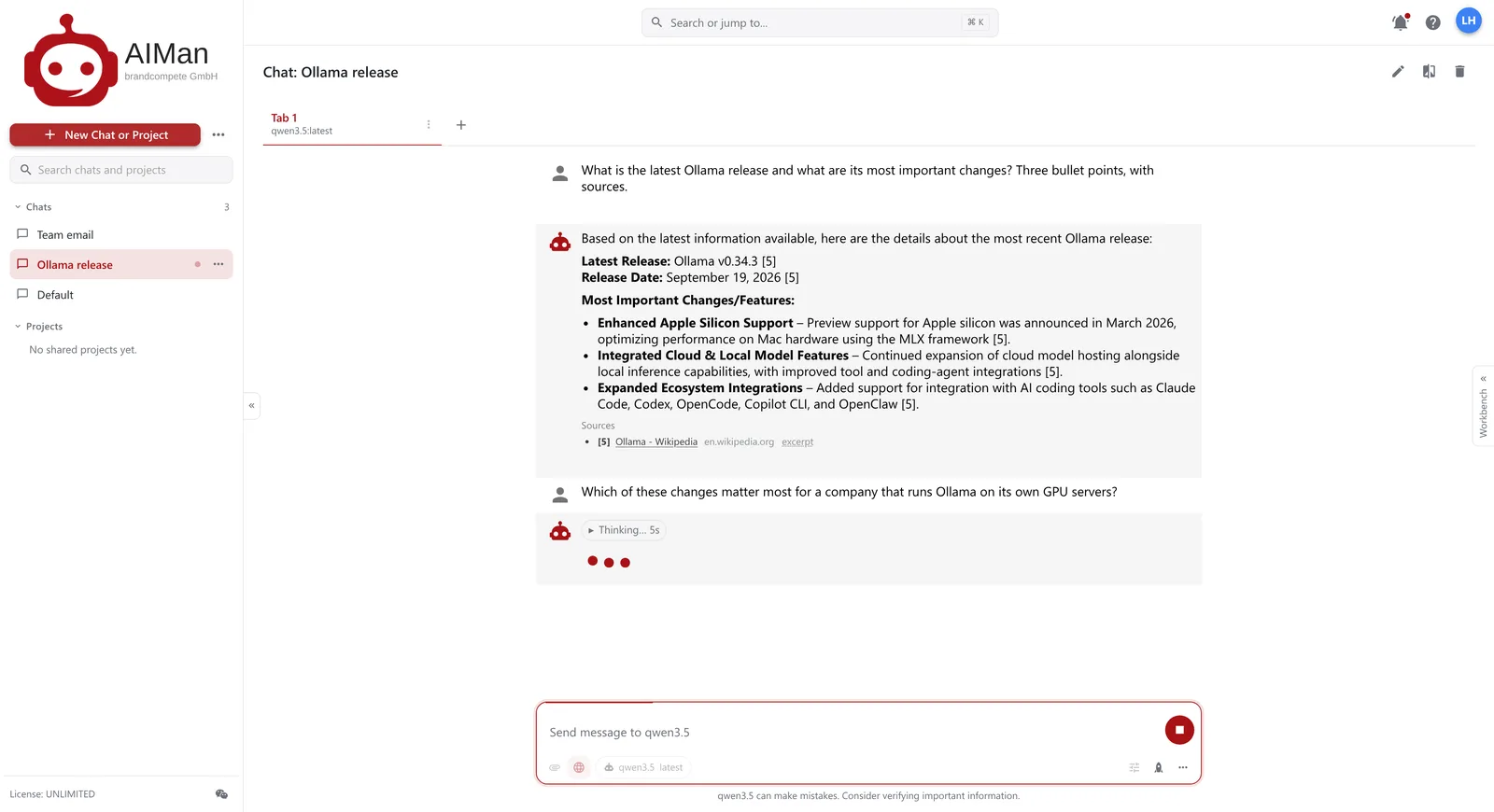
The model reasons before it answers.
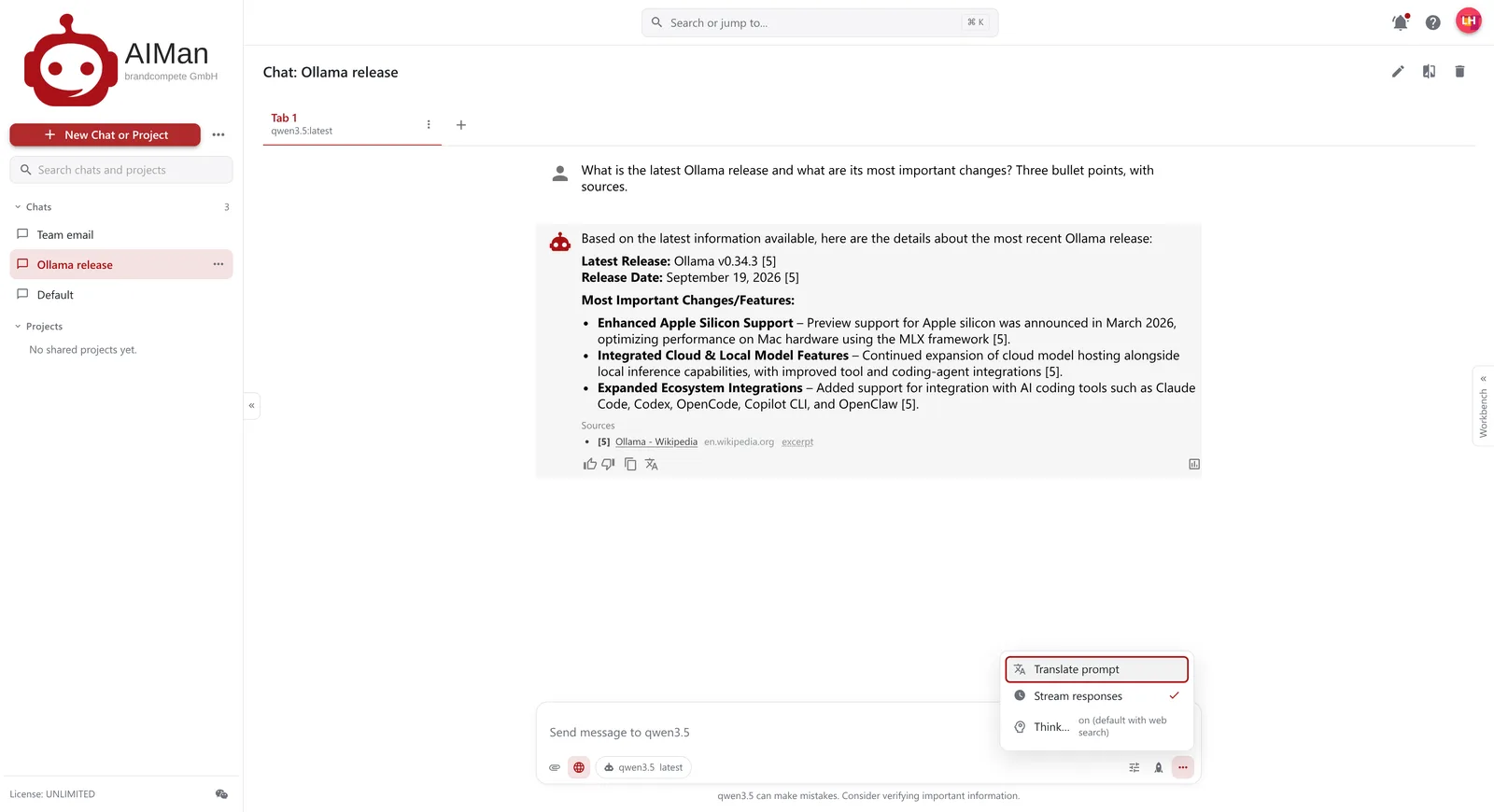
Thinking on, by default with web search.
Upload documents, connect web pages or a company wiki, and attach the data source to a chat. Every answer is built from the most relevant passages and cites them, document and page. Nothing relevant? It says so instead of guessing.
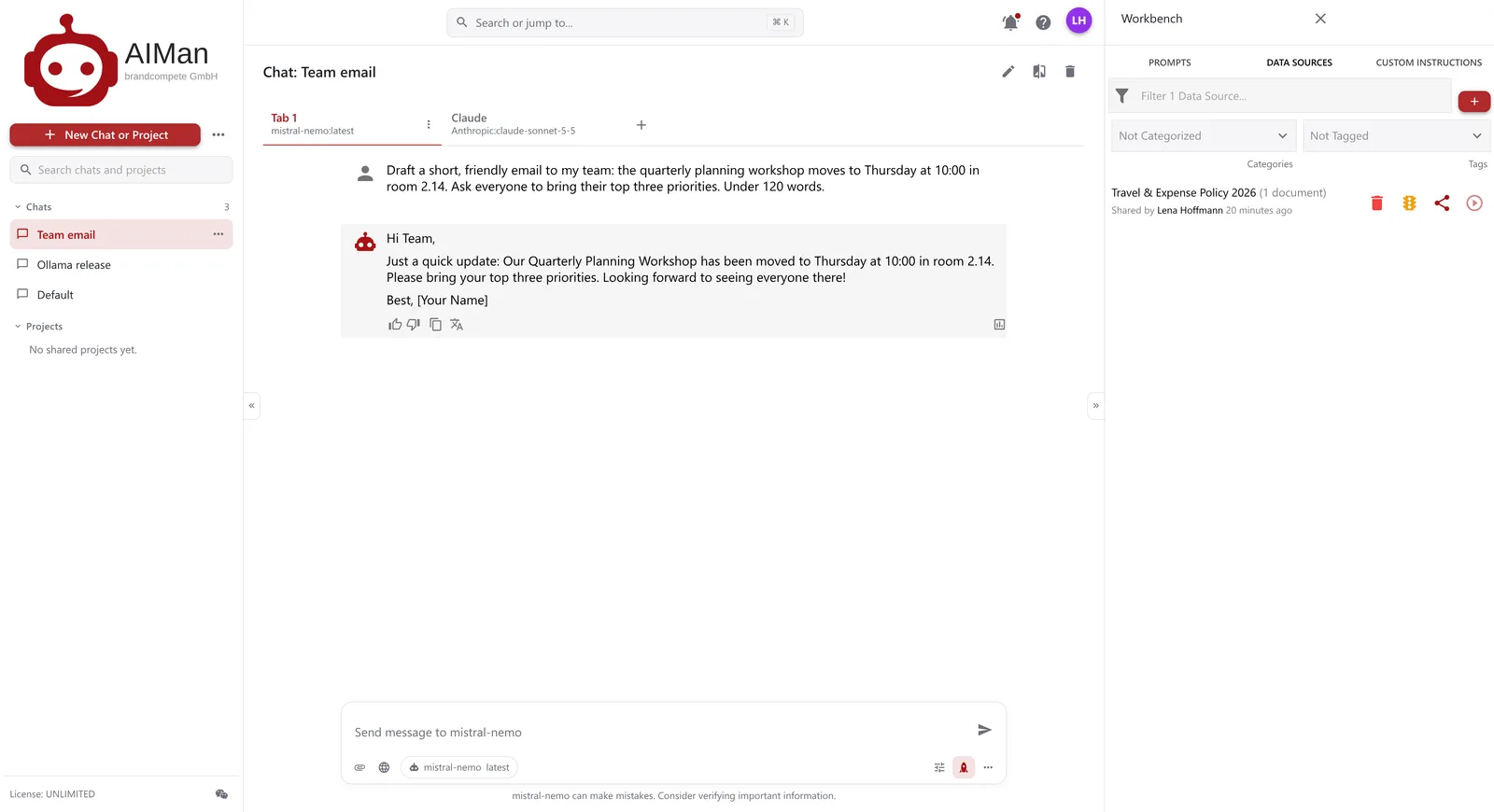
Your data sources, in the Workbench.
Files, web pages or a knowledge base.
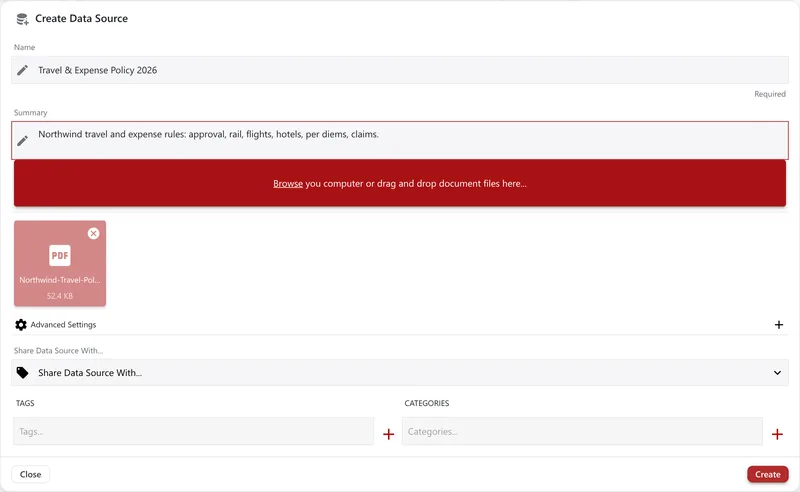
A PDF, a name and a summary.
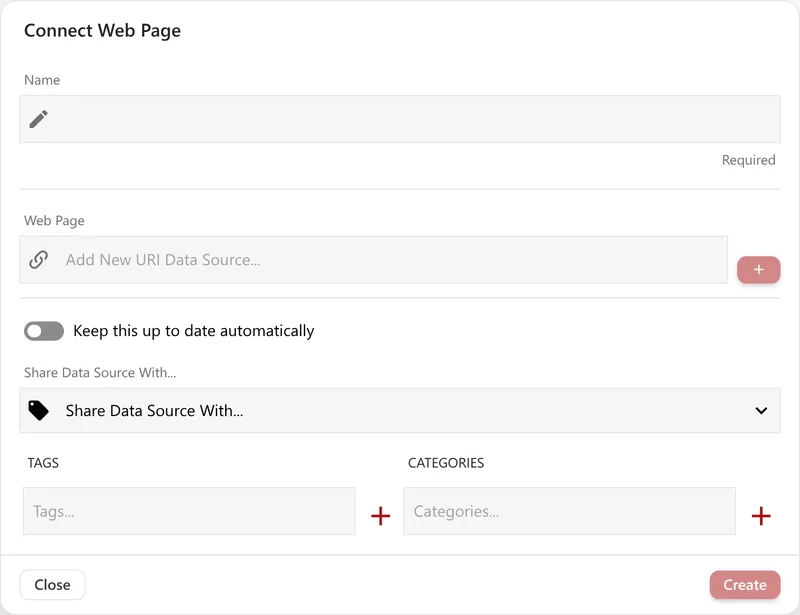
Web pages, kept up to date.
Save a good prompt to the repository, with {{placeholders}} for the parts that change, and run it again from the Workbench next to any chat. Custom instructions add standing context — your role, your tone, your terms.
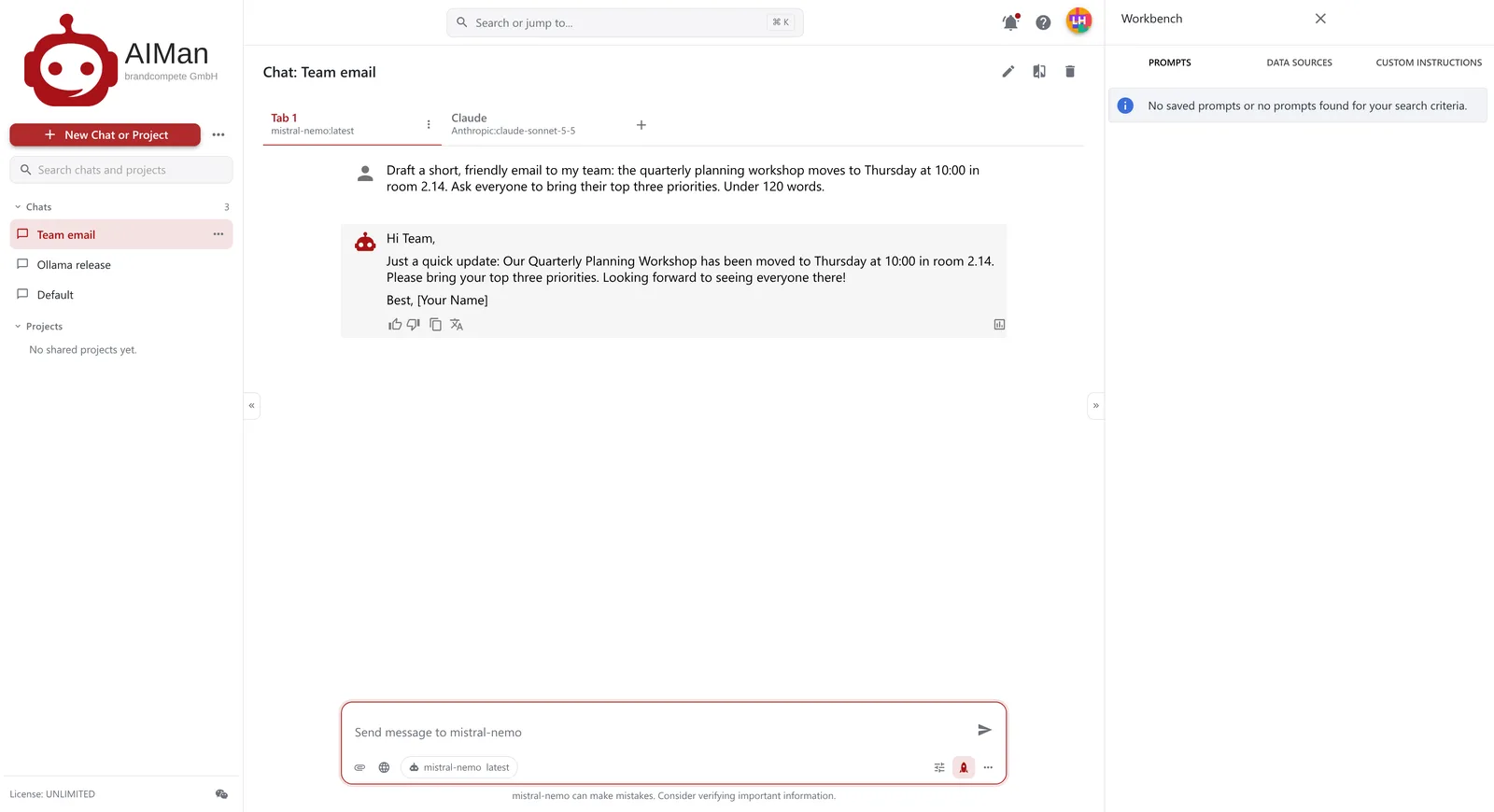
Saved prompts, ready to run.
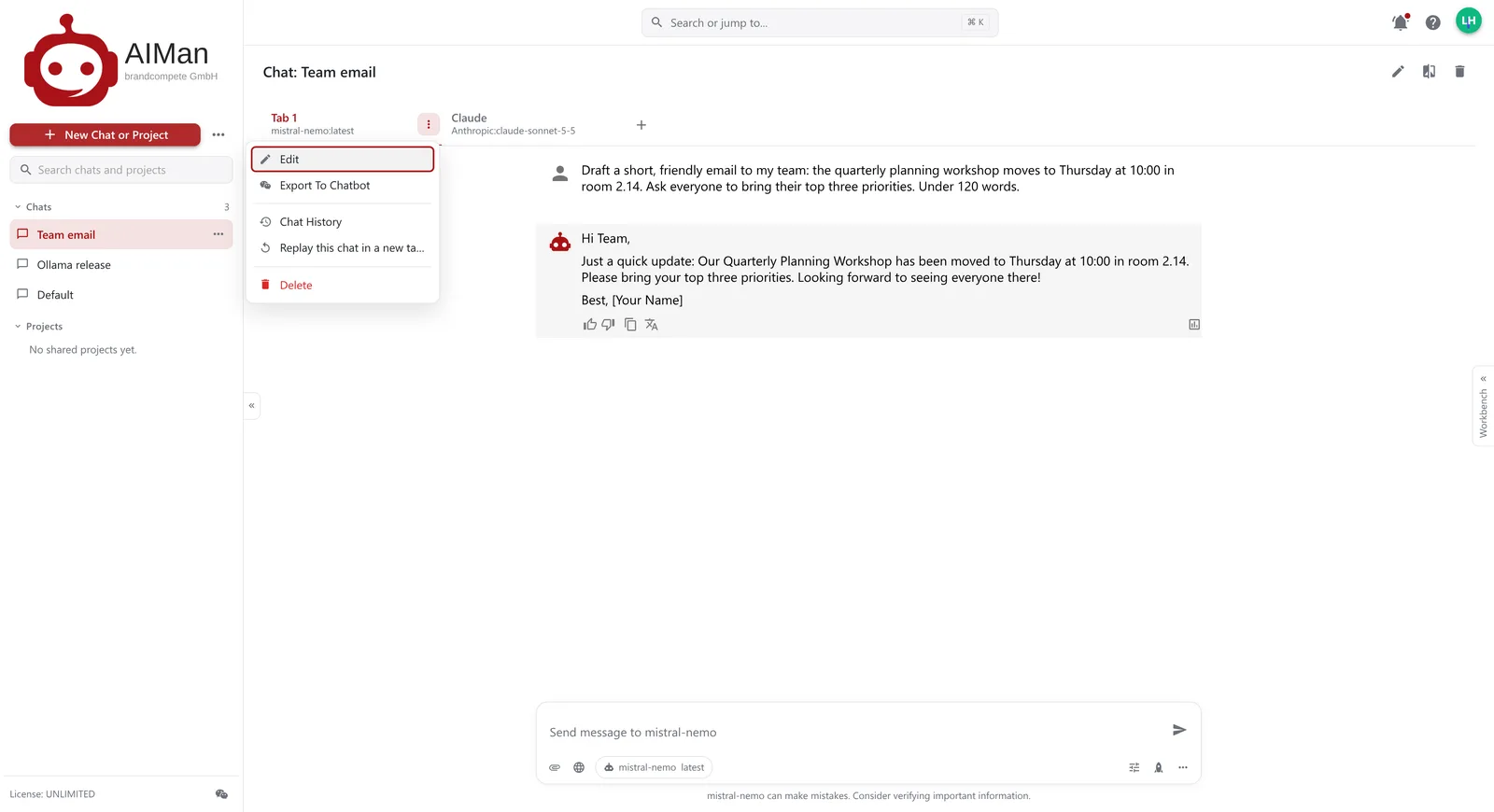
Export to a chatbot, replay, history.
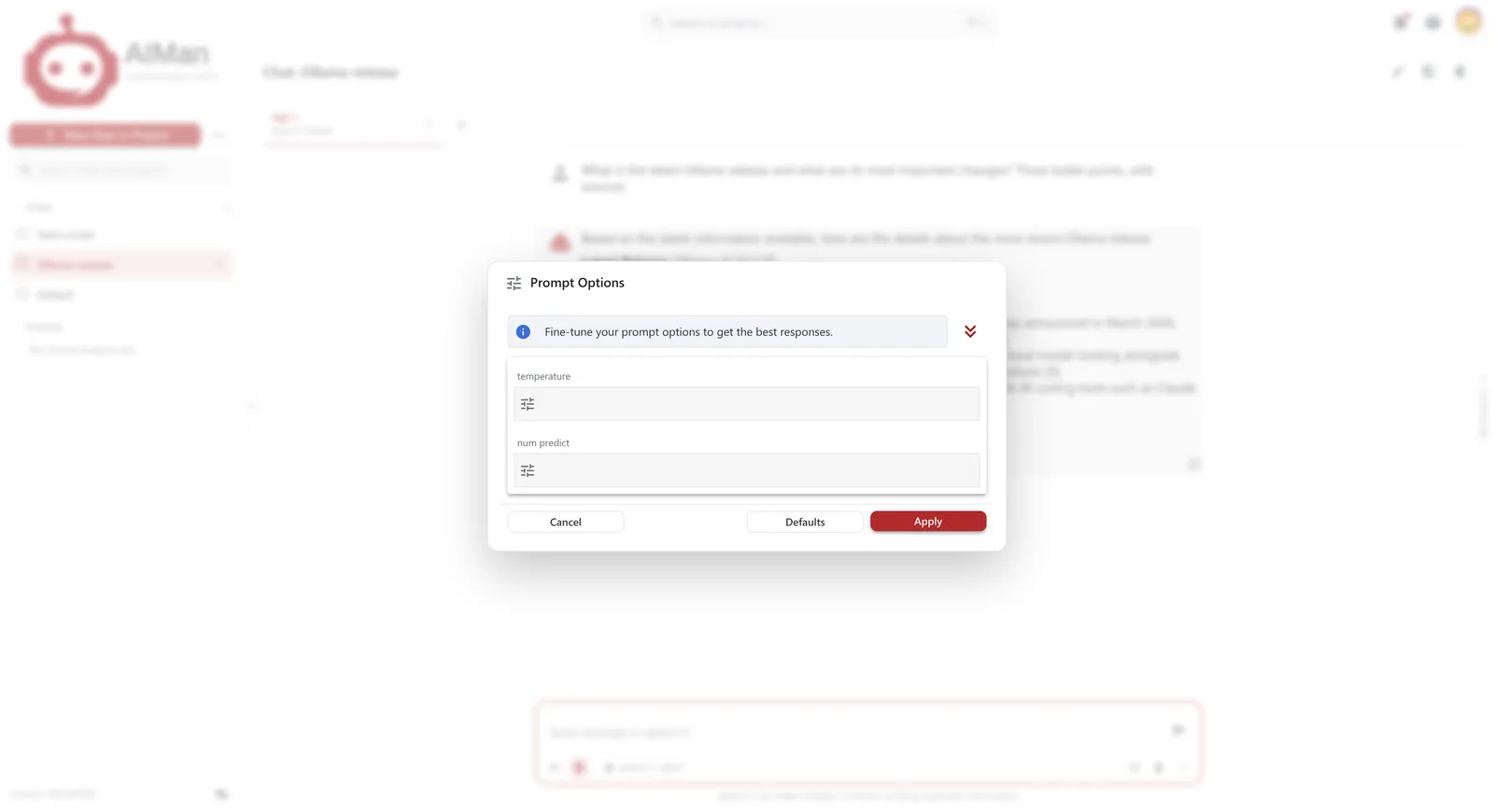
Fine-tune temperature and length.
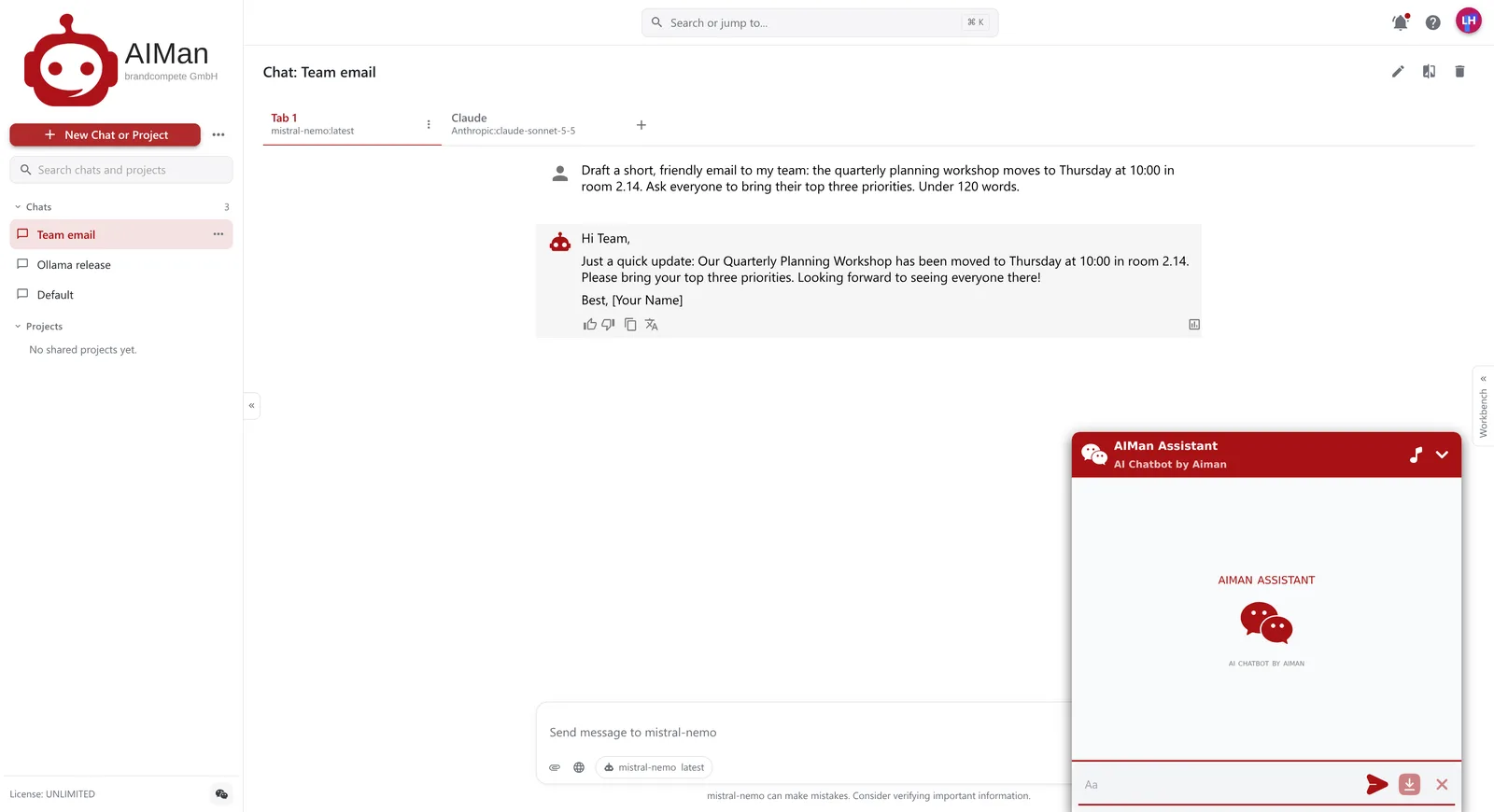
Any chat tab — its model, data source and instructions — can be exported as a chatbot and embedded in an intranet page or an application with a few lines of code. AIMan uses it itself, for the AIMan Assistant.
Admins decide which models and versions the company sees, in which order, and can deploy or withdraw one in a click. A live view shows which open models sit in GPU memory on which server.
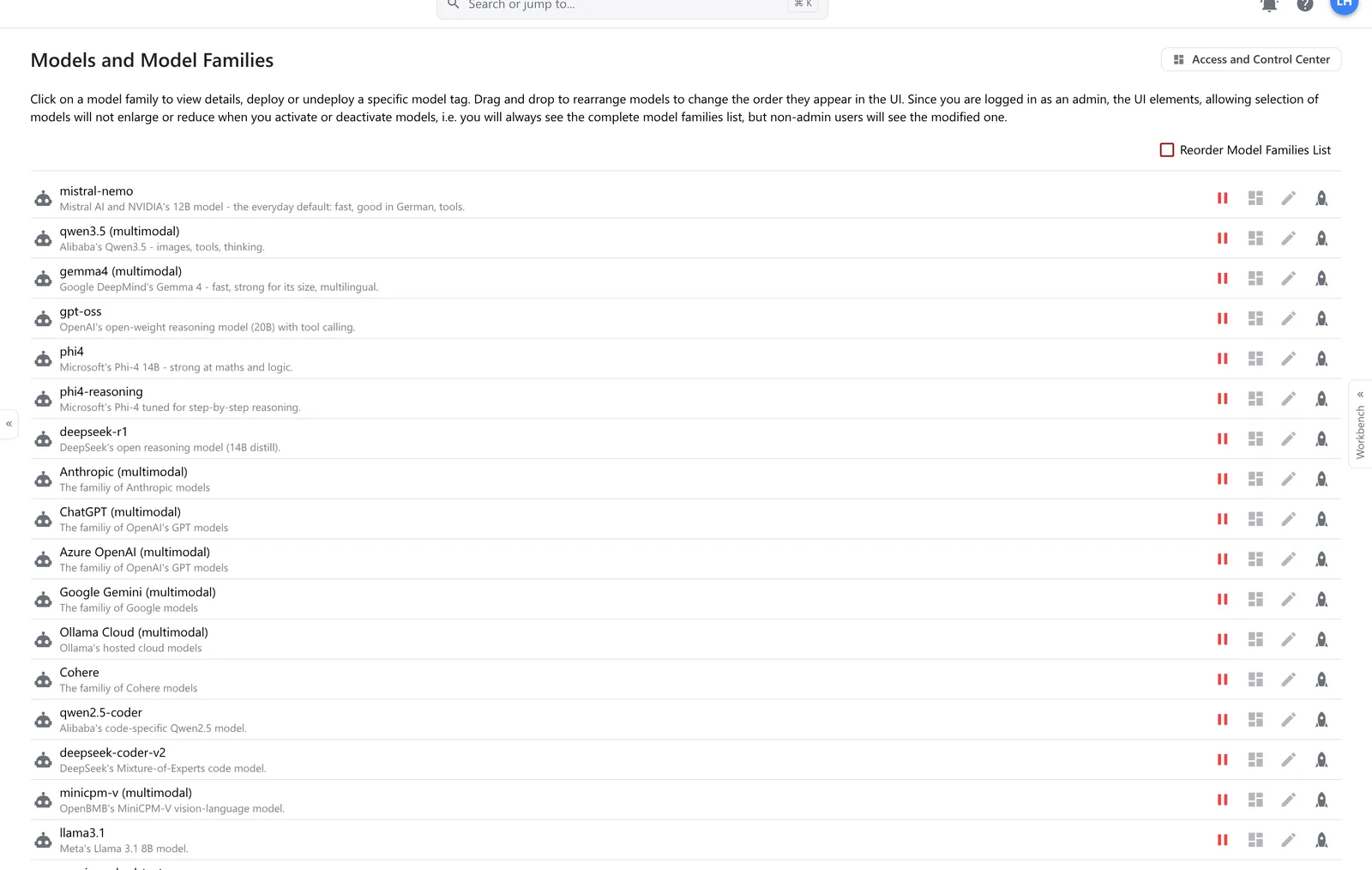
Model families, deployed or not.
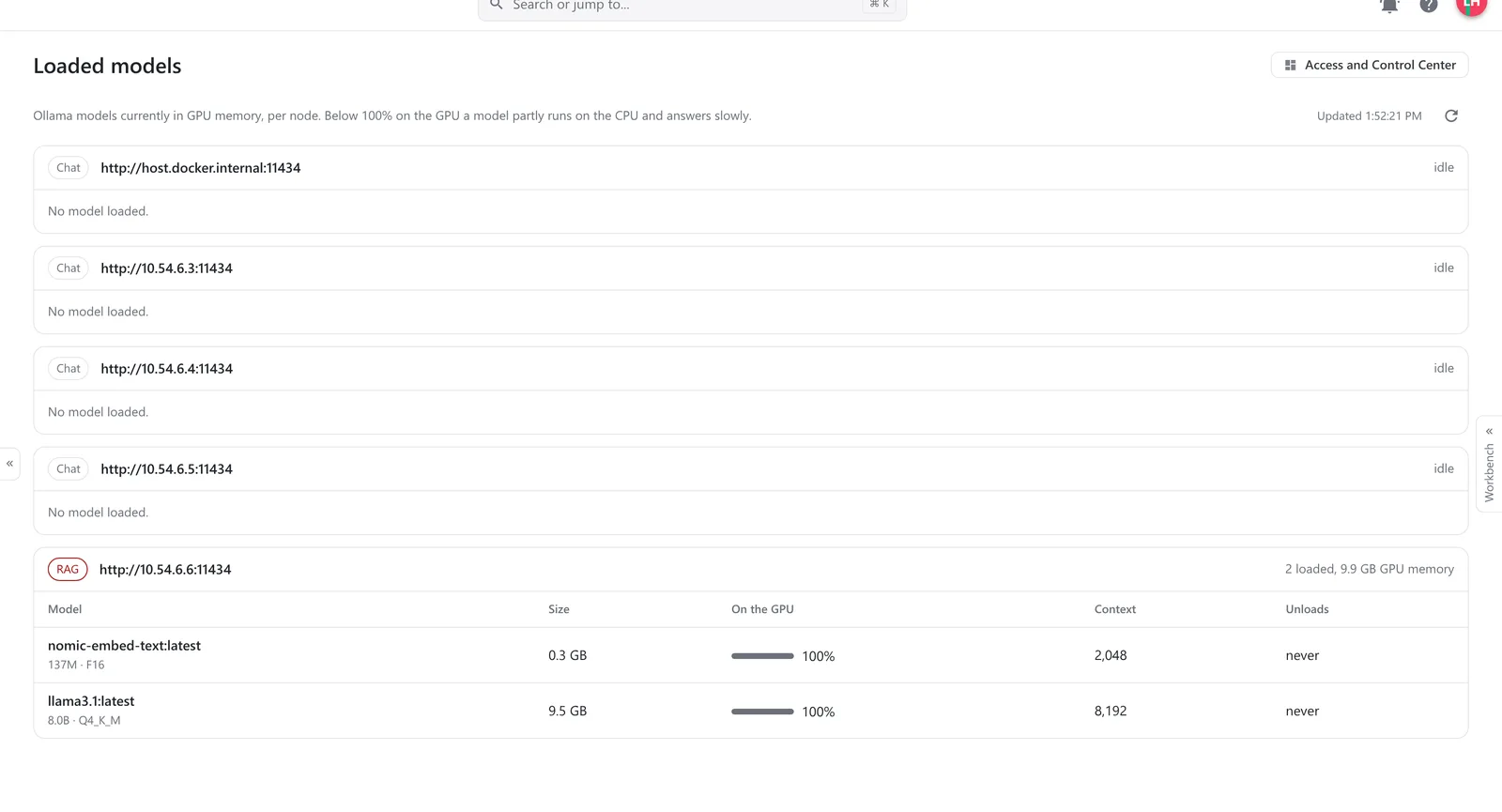
What is loaded on which GPU server.
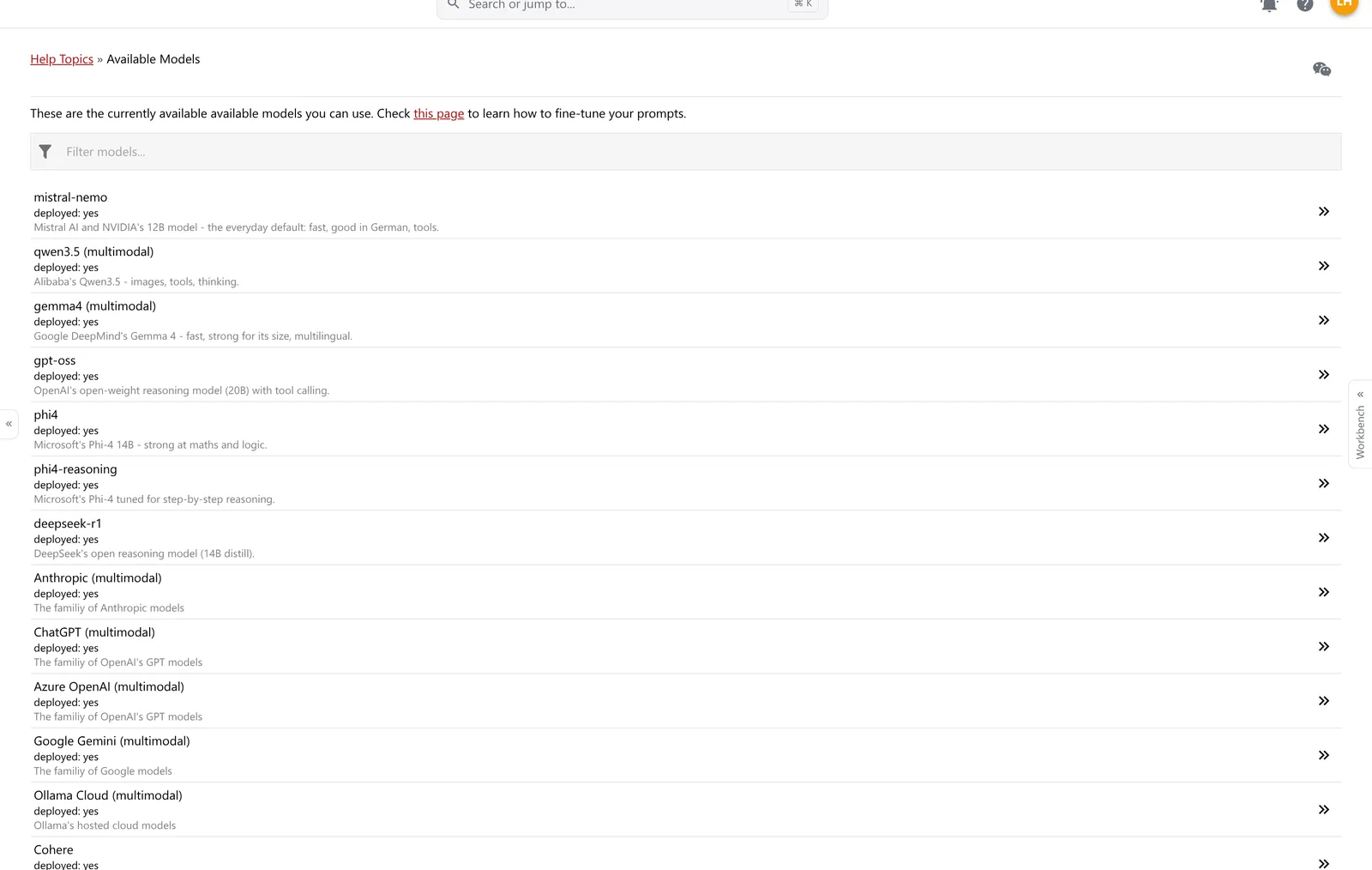
Every model, explained to users.
The Access and Control Center holds what IT needs: accounts and roles, the organisational units and teams things are shared with, the vendor keys every model call runs under, and the instructions every model gets.
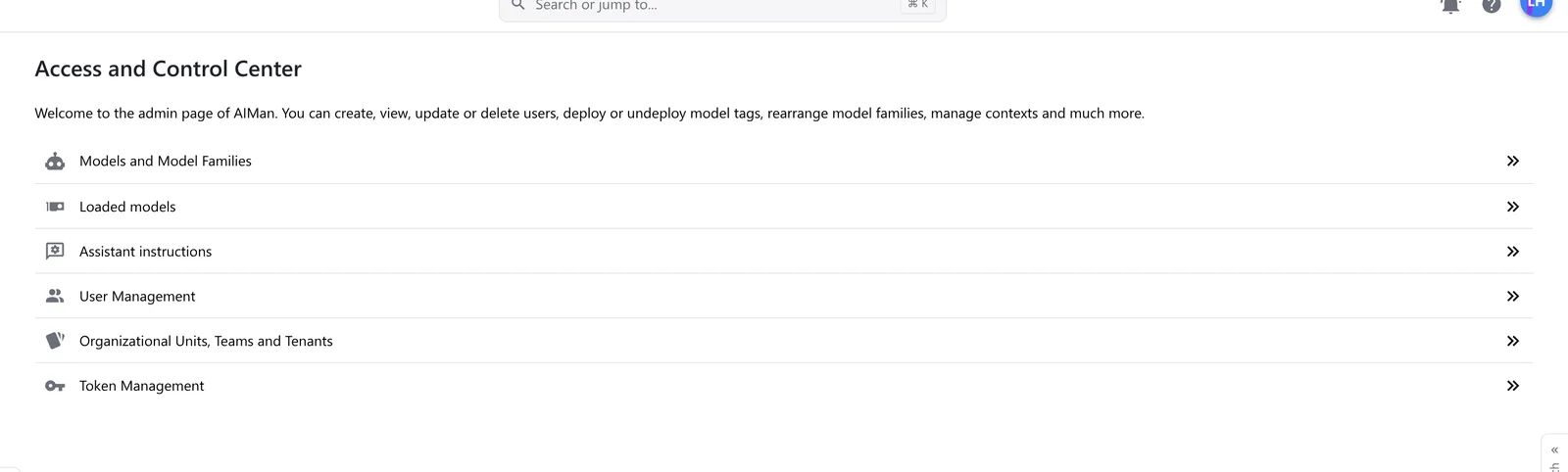
The Access and Control Center.
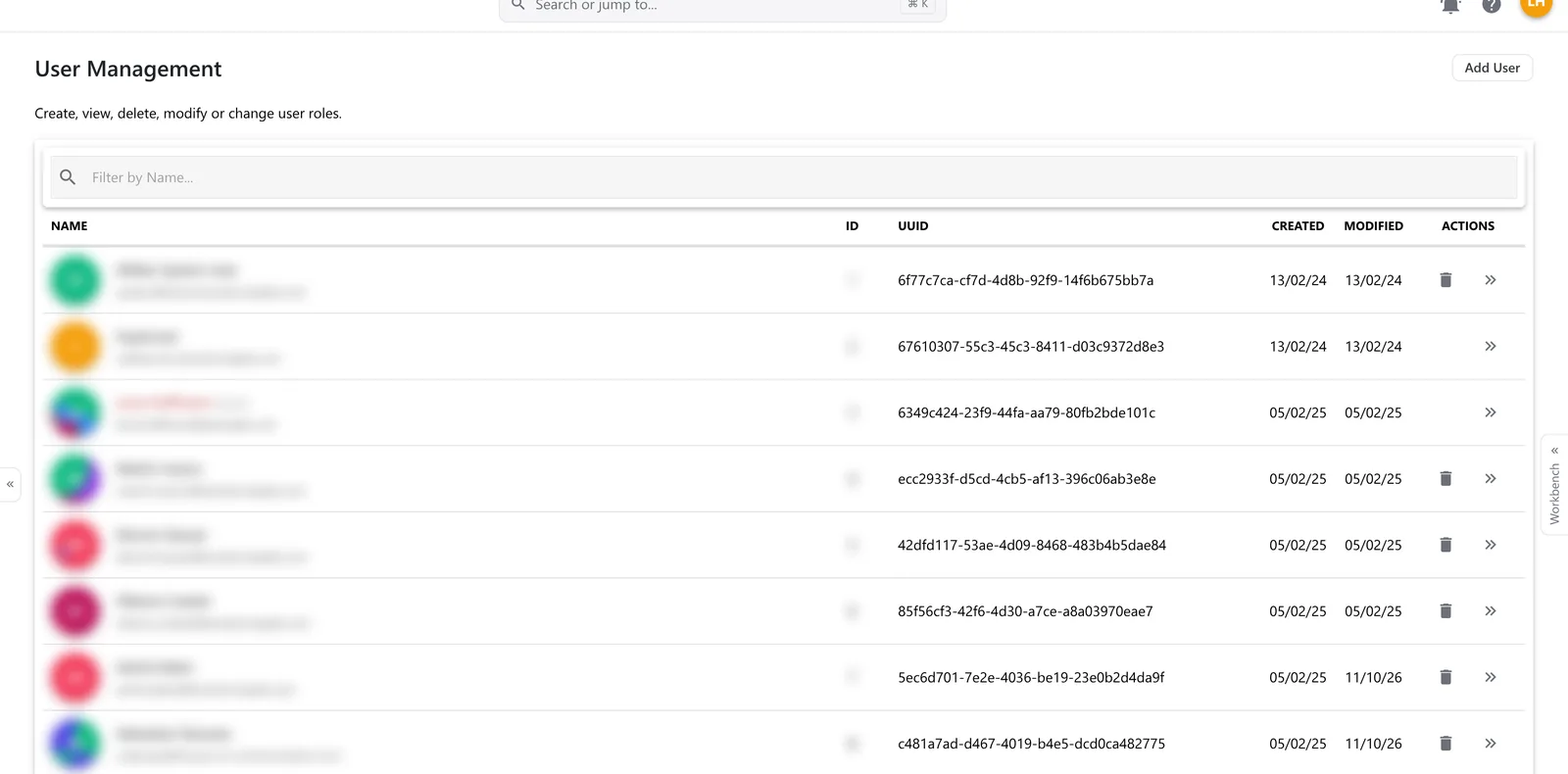
Accounts and roles (names blurred by us).
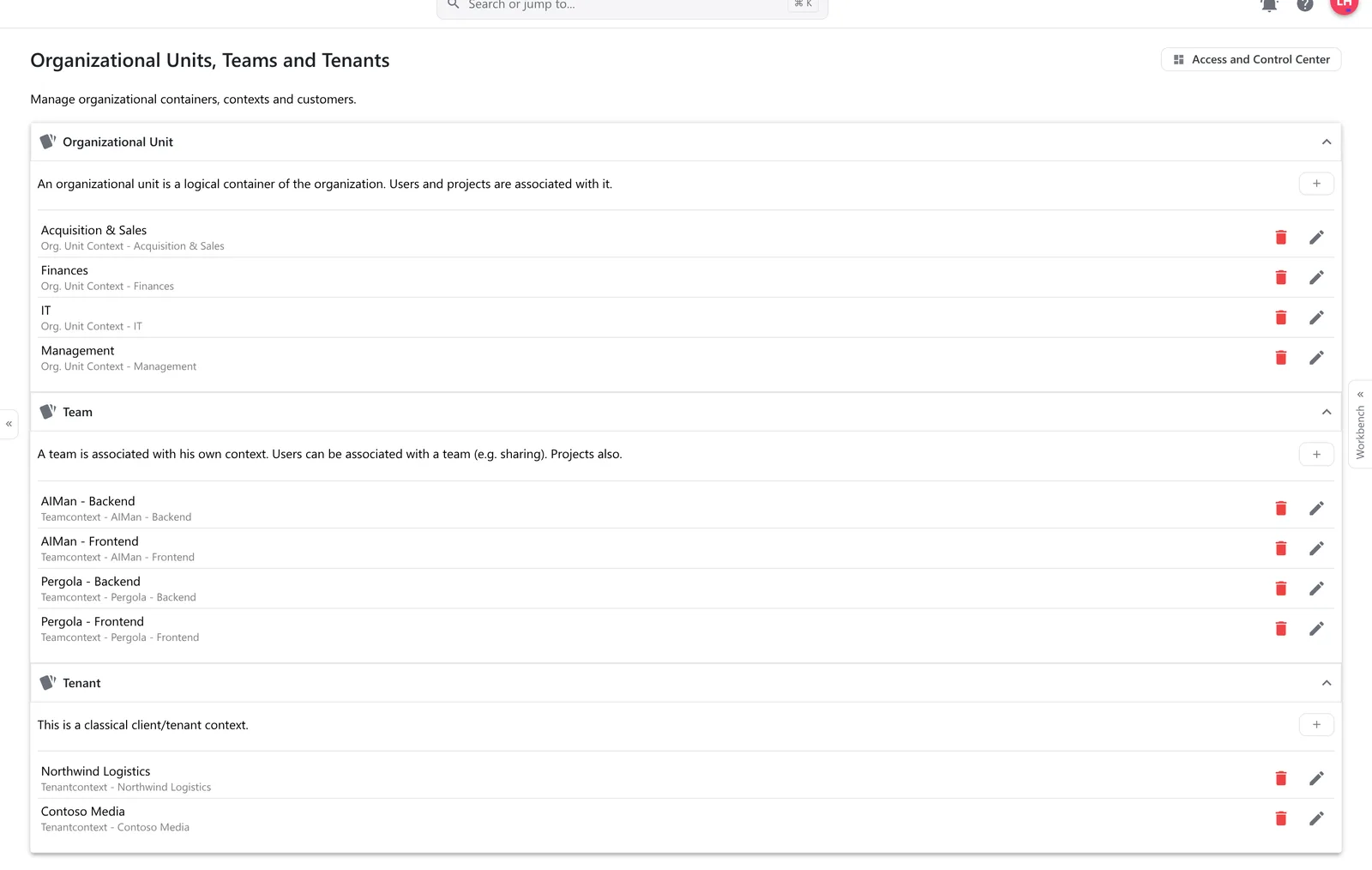
Organisational units, teams, tenants.
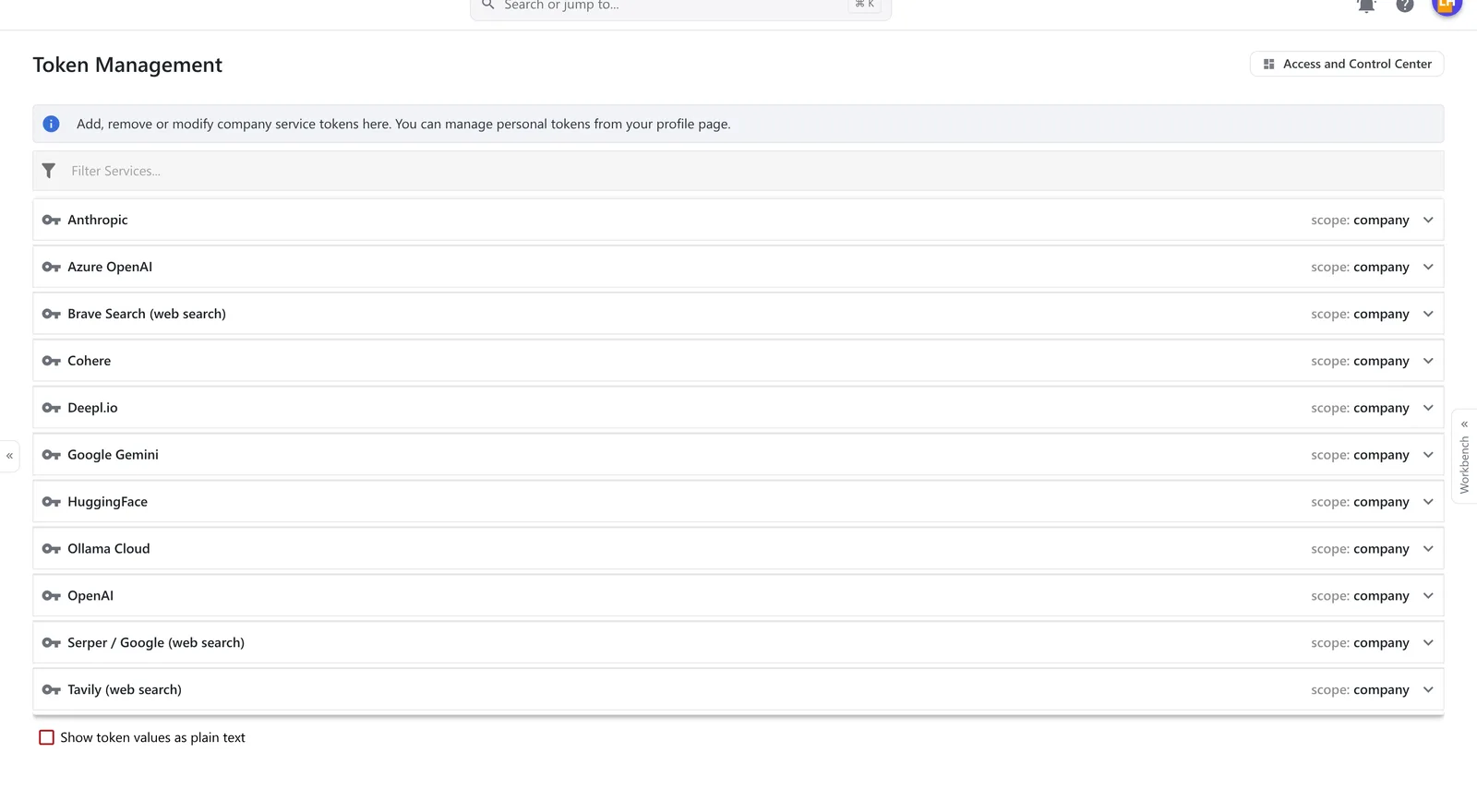
Vendor keys, held centrally.
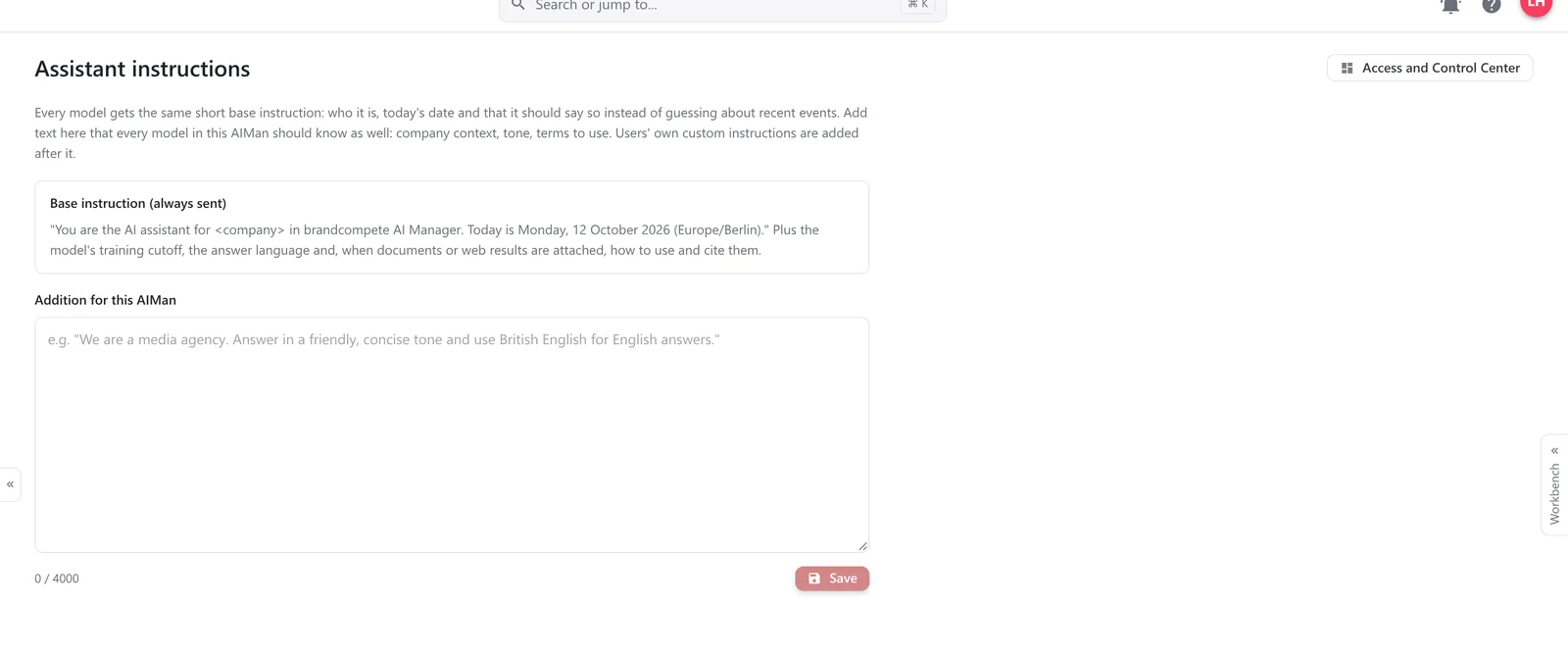
What every model should know.
People sign in with their Microsoft or Google work account, or with email and password. Access is limited to the domains and directories the company names, and every installation carries the company’s own colours and logo.
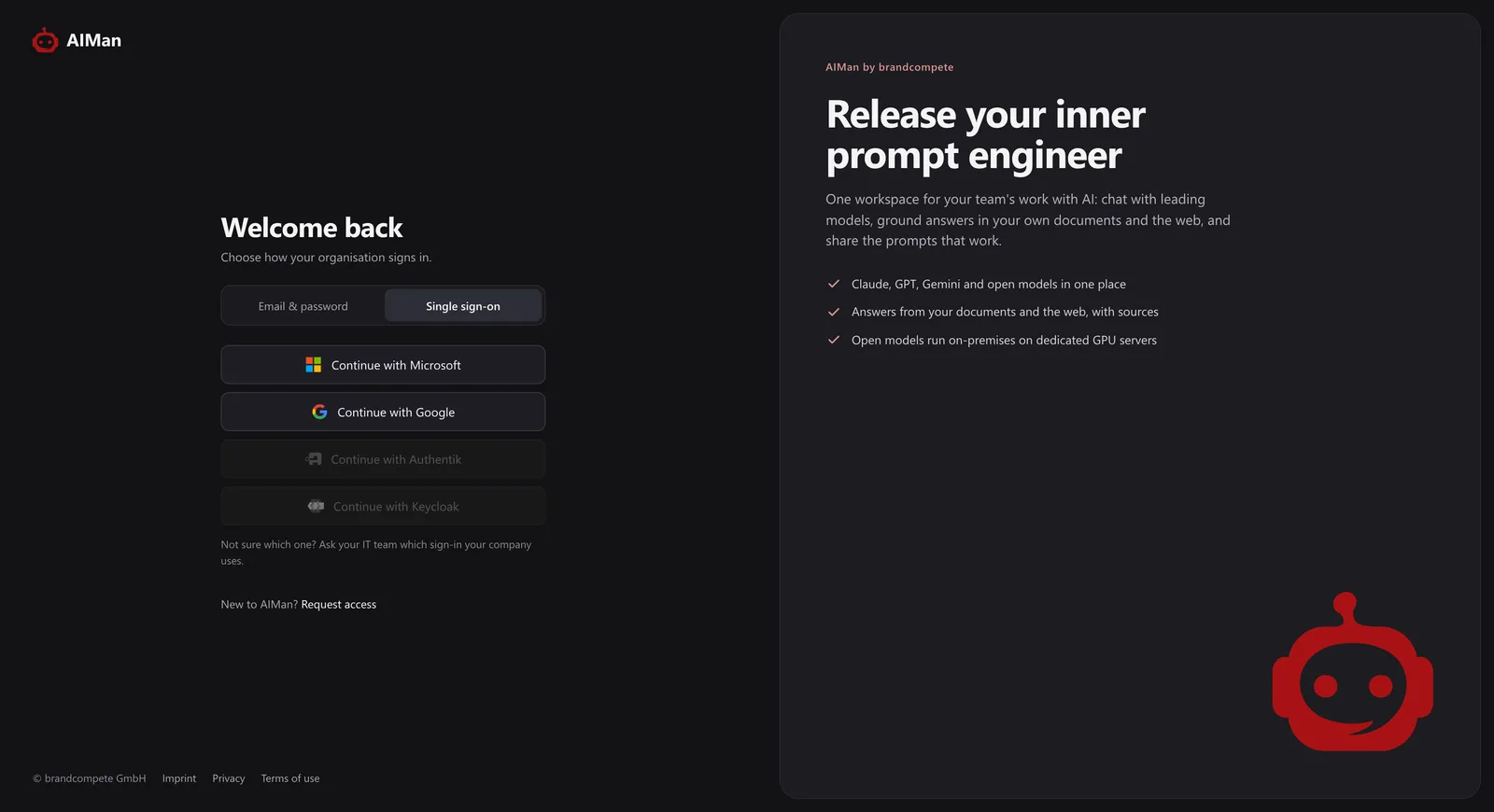
Microsoft or Google, one click.
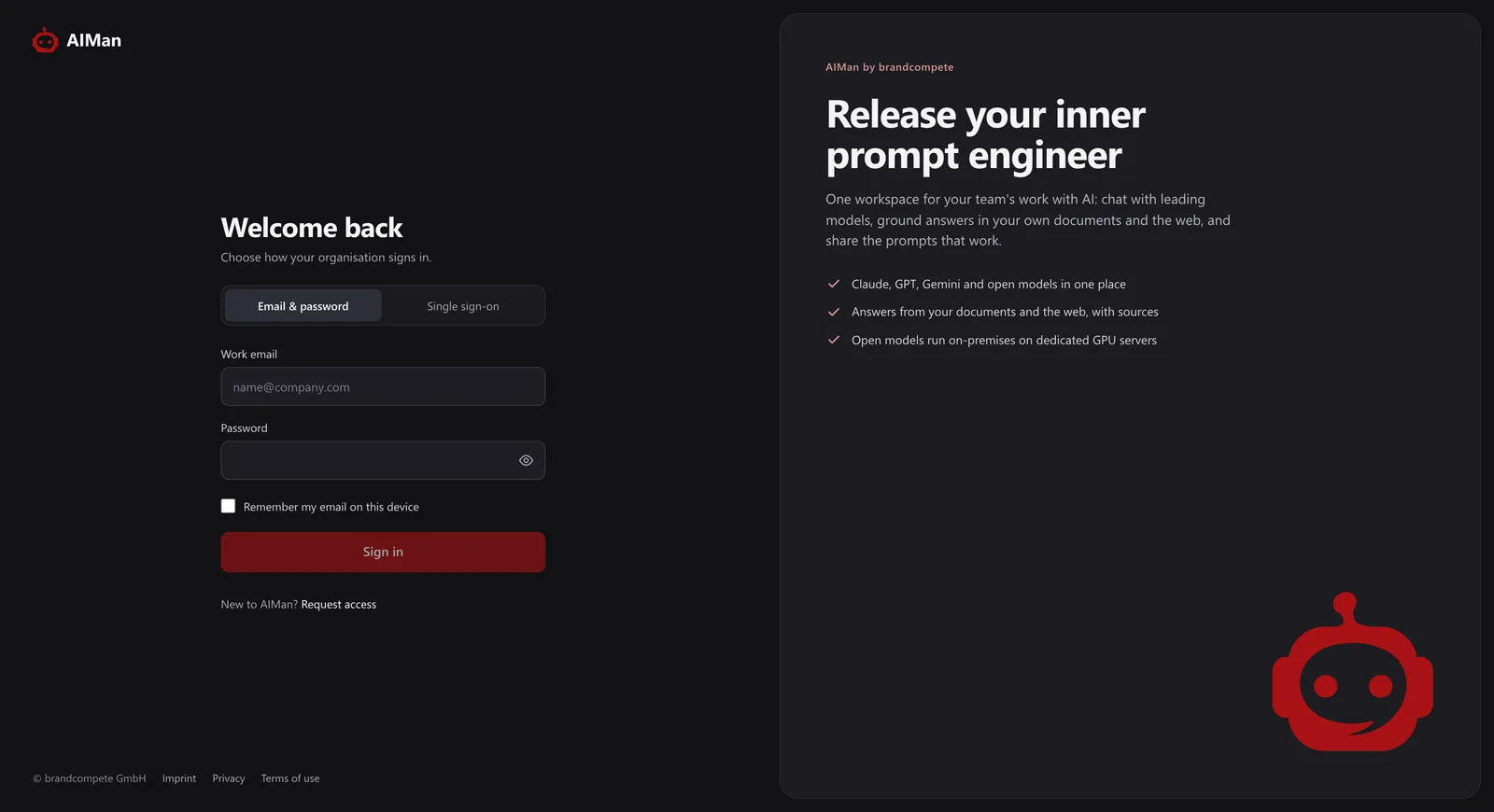
Or email and password.
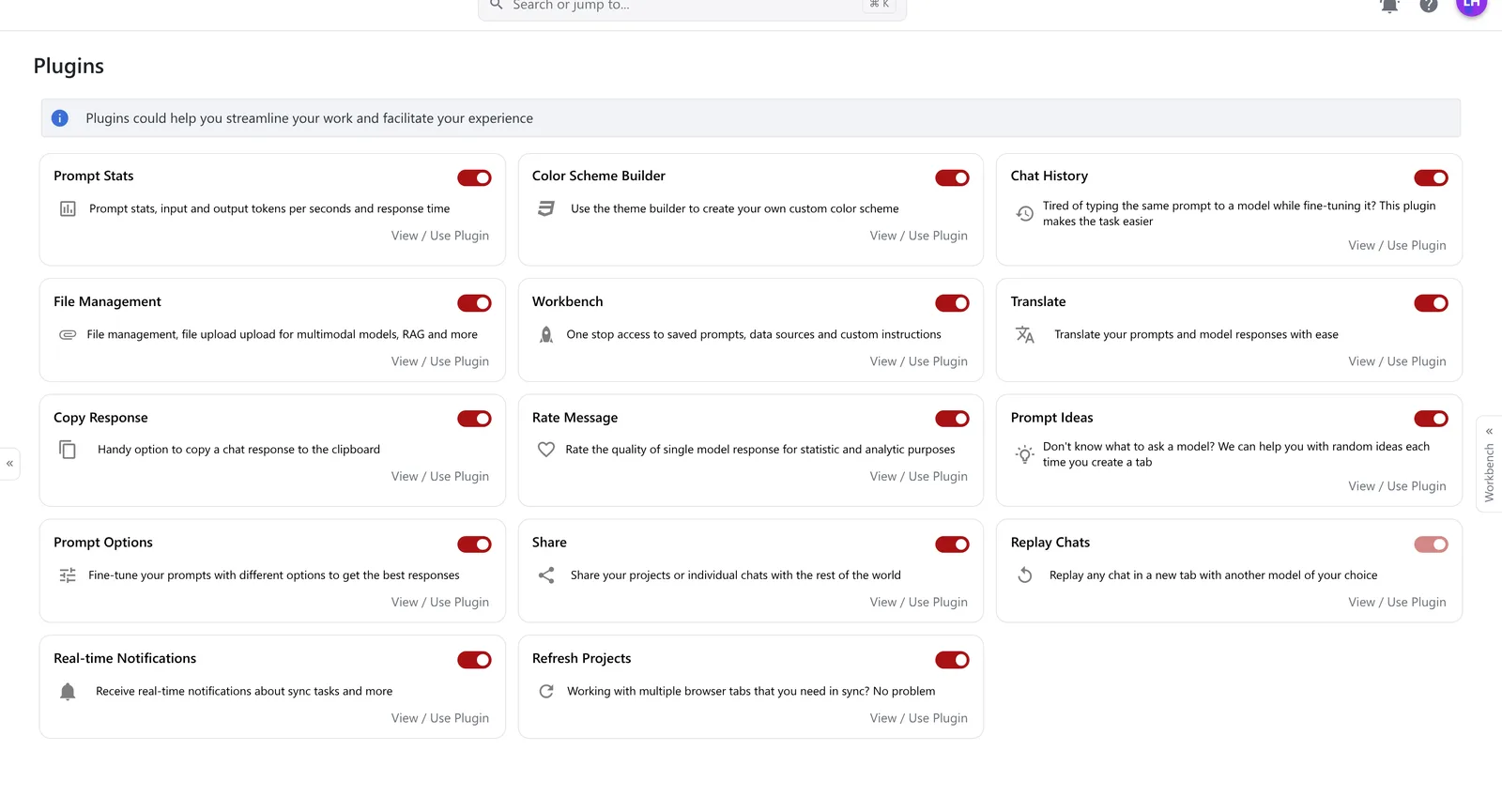
Translation, prompt statistics, chat history, sharing, rating and more are plugins each person can switch on or off — so the interface stays as simple as the work.
One platform, three winners
Security & architecture
A Spring Boot API, a web front end, PostgreSQL, a retrieval service of its own and Ollama on dedicated GPU servers — each customer in an installation of its own.
Microsoft Entra ID and Google, limited to the email domains and directories you name. An empty list lets nobody in.
Local and vendor models are separate tabs in the picker, so people always see where a prompt is going.
Prompts, answers and passages for open models are processed on dedicated GPU servers in Germany — or on yours.
Indexing, embeddings and reranking run on our own servers for every model; only the passages an answer needs go to a vendor model.
Each customer has its own database, search index, queue and network. Nothing is shared between customers but the GPUs.
Vendor and search keys are stored once, per company, and used on the server. Values stay hidden unless an admin asks.
Roles decide what people may create and manage. Everything is private until shared — with people, teams or units, to read, write or administer.
An account can be allowed the interface, the API, or both — so a service account never gets a chat window.
Only public addresses are fetched, every redirect is checked, and web content is treated as information, never as instructions.
Every model knows today’s date and is told to say when it cannot know something. No relevant passage? AIMan says so.
Model answers are sanitised before they are shown, so a crafted reply cannot run code in the browser.
Only the web entry point is exposed. Database, retrieval service and GPU nodes are reachable on private networks only.
Deployment
Always an installation of your own. The difference is where it runs and who operates it.
Pricing depends on the model and the size of the installation — ask us for a figure. Vendor models run under your company’s own keys and are billed by the vendor, to you.
Roadmap
What is true today, what is next, and what is further out — said plainly, so a pilot is planned on facts.
Available today
Next
Later
Pilot offer
One department, real tasks, your own documents — and a decision based on evidence after a few weeks rather than on a demo.
Your installation with your single sign-on, your branding, the models you choose and a first knowledge base connected.
One department works with it every day — on its own documents and questions, with a short weekly check-in.
A report on usage, models and feedback, and a roll-out plan if you want to go further.
Questions
AIMan is an AI workspace for the whole company. Everyone signs in once and chats with the leading hosted models — Claude, GPT, Gemini, Cohere — and with open models that run on dedicated GPU servers in Germany, in the same interface. Answers can come from your own documents, web pages and wikis, or from current web results, with the sources cited. IT decides which models are on offer, who may use what, and holds the vendor keys centrally, so nobody needs a private account to work with AI.
Two kinds, in one picker. Open models run on our own GPU servers: Mistral NeMo (the default — fast and good in German), Qwen 3.5 and Gemma 4 with image input, gpt-oss, Phi-4 and Phi-4-reasoning, DeepSeek-R1, Llama 3.1, two code models and a vision model. Vendor models run at the vendor under your company's key: Anthropic Claude, OpenAI GPT, Azure OpenAI, Google Gemini, Cohere and Ollama Cloud. Admins decide which families and versions people see; new models are added as they appear.
It depends on the model you choose, and AIMan makes that choice visible: local models and vendor models are separate tabs in the picker. With an open model, the prompt, the answer and any document passages stay on brandcompete's dedicated GPU servers in Germany, or on your own servers if you run AIMan on-premise. All document processing — reading, indexing, searching and reranking — runs on those servers too, whichever model answers. With a vendor model, the prompt and the passages it needs are sent to that vendor under your company's contract and key. Translation goes to DeepL, and web search sends a search query to a search service. Each customer has a separate installation with its own database.
You create a data source — uploaded files, web pages, or a connected Confluence, Jira or Bitbucket — and attach it to a chat or a project. AIMan splits the documents into passages, indexes them for both meaning and keywords, and for every question picks the most relevant passages, reranks them and hands them to the model with the instruction to cite them. The answer carries numbered references to document and page. If nothing relevant is found, AIMan says so instead of letting the model guess. You can also restrict a chat to the documents only. Supported formats are PDF, Word, PowerPoint, Excel, text, Markdown, HTML and CSV; scanned PDFs without a text layer are not read yet.
Yes, with web search switched on for the chat. Claude, Gemini and GPT then use their vendor's own search; open models search through AIMan, which reads the best pages and ranks them before the model answers. Either way the answer lists its sources. Every model is also told today's date and what it cannot know, so without web search it says when a question is beyond its training rather than guessing. Admins can switch web search off for an installation.
A project is a shared chat: colleagues, teams or a whole organisational unit work in it together, each tab with its own model and data source. Prompts that work go into the prompt repository, with placeholders for the parts that change, and can be shared the same way, as can data sources and custom instructions. A chat tab can also be exported as a chatbot for an intranet page or an application.
People sign in with Microsoft Entra ID or Google single sign-on, restricted to the email domains and directories you name, or with email and password. Every account has a role, and roles carry the rights to create chats, data sources, prompts or chatbots, manage models, users or keys. What people create is private until they share it with named colleagues, teams, organisational units or the company, for reading, writing or administration. Admins can also allow an account the user interface, the API, or both.
Yes. AIMan has a REST API with streaming answers, and any deployed model can be called by name, so an application can switch from one model to another without code changes. Access to the API is a setting per account. A chat tab can also be embedded on a website as a chatbot.
Three ways. As a managed service, brandcompete runs your installation on its dedicated GPU servers in German data centres. On-premise and managed, brandcompete installs and operates AIMan in your own infrastructure. On-premise and self-operated, your IT runs it under licence, with releases and support from brandcompete. In every case each customer has its own installation, with its own database, search index and network.
That depends on how you run it and on how many people use it. Write to sales@brandcompete.com and we will put a figure against your case. Vendor models are used under your company's own keys, so their usage is billed by the vendor to you, without a mark-up from us.
With a pilot. About one week to set up your installation with your single sign-on, your branding, the models you want and a first knowledge base; four to six weeks in which one department works with it on real tasks; then about a week for a usage report and a roll-out plan. You decide on experience rather than on a demo.
Resources
Want the sales presentation, a technical deep-dive or a live walkthrough? Write to us and we will send it.
Tell us which teams want AI and what they want it for, and we will show you the same thing running with your own documents.
Prefer email? Write to sales@brandcompete.com.